

The simplest way to develop a Joomla! site on your local Mac OS X computer is by using MAMP. MAMP is short for Macintosh, Apache, MySQL, PHP. MAMP works just like an application. It is released under the GNU General Public License. You can download MAMP from Living-e AG.
The download page can be found HERE. Current MAMP versions require Mac OS X 10.4.x. If you're running Mac OS X 10.3.x you can download an earlier version of MAMP 1.4.1 (universal binary), for Intel and PowerPC.
Read more: Installing Joomla 1.5 On Your Local Macintosh using MAMP.
We are going to walk through the steps that it takes to start developing Joomla 1.5 on your Macintosh computer using MAMP. The first step is to install MAMP on your Macintosh computer. MAMP was created by Living-e AG primarily as a PHP development environment for the Macintosh computer. It is free and released under the GNU General Public License.
Read more: Install MAMP to Run Joomla 1.5 On Your Macintosh Computer
Previously on JoeJoomla I wrote a series of articles called 'Web Development On Your Macintosh Computer Using MAMP and Joomla! CMS'. These articles have been very popular and many people continue to send me messages saying that they are the best instructions on how to install Joomla! in a localmachine development environment.
Read more: Joomla 1.5 Website Development On A Macintosh Computer Using MAMP
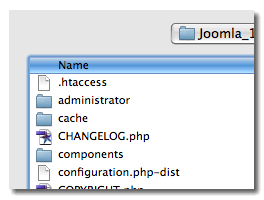
Recently someone in the JoeJoomla forums who is using MAMP to develop Joomla! websites wanted to know how to rename the 'htaccess.txt' file to '.htaccess' which makes the file invisible on the Mac. The 'Finder' application in Mac Leopard OS will not let you rename the htaccess.txt file with a dot in front of it. If you try you will get a dialog box that comes up and tells you:
Read more: How To Rename The 'htaccess.txt' File To '.htaccess' On A Mac
